
350+ deployment options covering 180+ applications and platform modules. Each is a Terraform module, with a configuration guide, a price confirmation before you deploy, and a RAD-managed Google Cloud project, or one you own as the destination.
In the product this catalogue is the RAD modules view of the Solution Catalog tab on the Solutions page, beside All, My solutions and RAD solutions; Build Solution with AI is a tab of its own. Signing in lands you here unless you hold purchased credits, in which case it opens on All. Its own address still resolves, so existing links keep working.
Two numbers mean different things. 350+ is the number of ways to deploy modules; 180+ is the number of distinct applications and platform module implementations.
A Terraform module that RAD authors and maintains, with its input variables exposed as a form. Deploying it runs Terraform against a Google Cloud project you own, or one RAD creates and governs for your use.
Most applications ship in both a Cloud Run and a GKE variant, so the same application appears twice. Other modules include RAD project, shared-services foundation and deployment engines.
Cloud Run suits request-driven services you would rather not run a cluster for. GKE suits anything that needs persistent volumes, long-lived processes, or components that talk to each other inside a cluster.
60+ pre-composed solutions in the catalogue deploy several of these modules as one dependency-ordered unit, and you can have one composed from a description if none of them fits. If you want an estate rather than an application, start there instead.
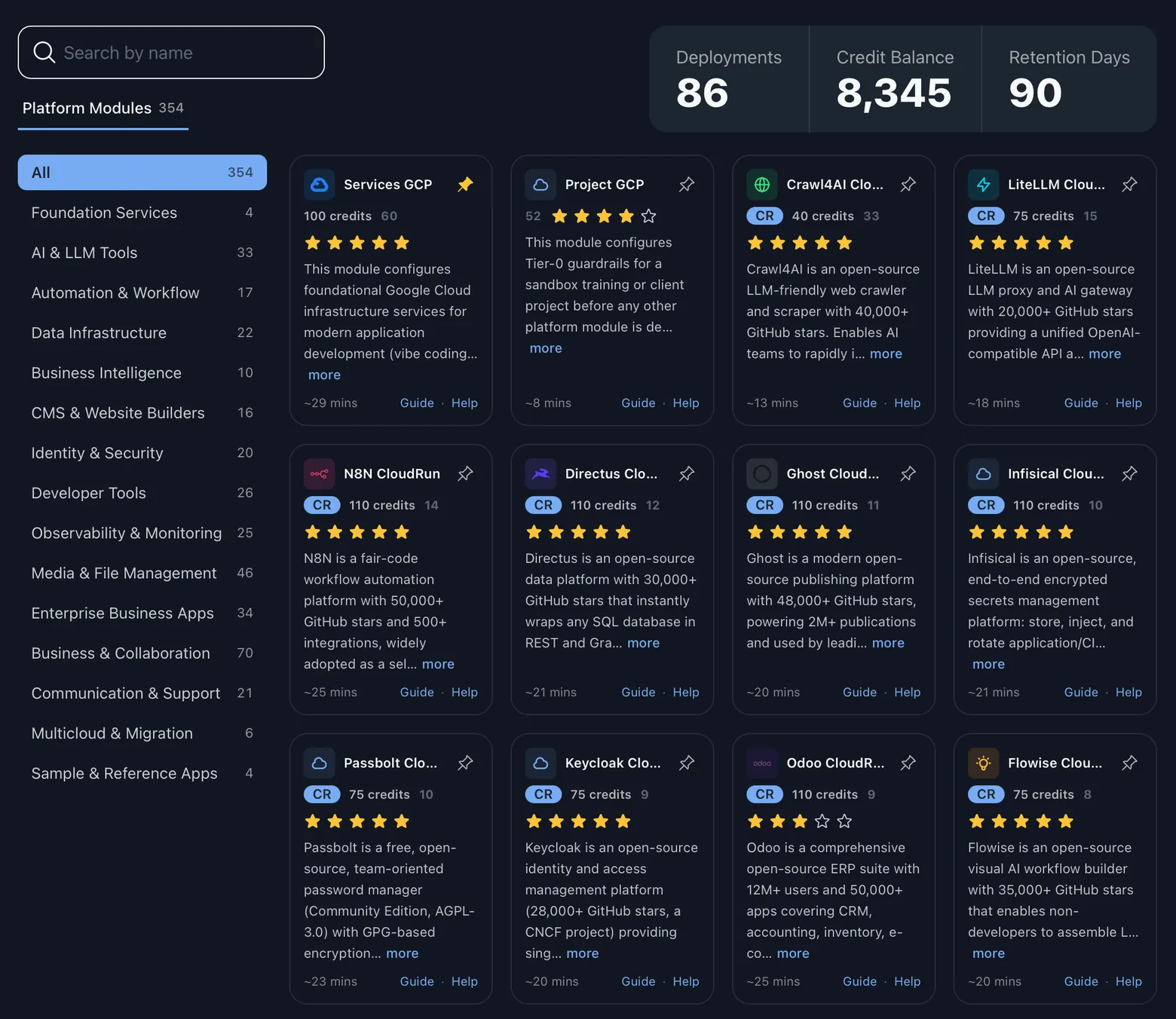
The same twelve used to organise the 60+ solutions. The named applications under each are examples, not the full contents; the catalogue is searchable inside the product.
Running the company itself: ERP, CRM and document signature. Includes Odoo, EspoCRM and Documenso.
Reaching people and booking their time, on analytics you host yourself. Includes Matomo and Cal.com.
Publishing and headless content, from a blog to an API-first back end. Includes Ghost and Strapi.
Files, chat, documents and knowledge you would rather not rent. Includes Nextcloud, Mattermost, Outline and Element.
Source hosting, pipelines, workflow orchestration and internal tooling. Includes Gitea, Woodpecker, Temporal and Appsmith.
Dashboards, exploration, search and the back ends underneath. Includes Metabase, Superset, Grafana, Elasticsearch and Supabase.
Model serving, retrieval and automation in your project. Includes Ollama, LiteLLM, OpenWebUI, RAGFlow and n8n.
Single sign-on and identity brokering in front of everything else you deploy. Includes Keycloak.
Service desk, asset tracking and availability monitoring. Includes Zammad, Snipe-IT and Uptime Kuma.
Course delivery and the documentation that goes around it. Includes Moodle, BookStack and Wiki.js.
Applications written for one sector rather than for everybody. Includes OpenEMR and Cyclos.
Photos, media libraries and personal archives in your own storage. Includes Immich, Jellyfin and PhotoPrism.
Twelve categories, 350+ deployment options, 180+ applications and platform modules. The catalogue in the product is the authority on what sits where.
The same six things, whichever of the 350+ entries you pick.
Basic mode asks only for the variables the module marks mandatory; a first deployment is always Basic. The full set opens on update once your balance covers the cost, with the settings a RAD-managed project cannot support hidden from it.
The confirmation screen lists the Google Cloud services the module will create and prices the whole chain, project and shared services included. A value above the project's quota ceiling is refused here rather than failing partway through the build.
Terraform runs as a provisioning job and its output streams into the console line by line while it runs. A failed step carries its own actions: search for a fix, seeded with that step's error, or raise a ticket with the failure attached. A successful one carries Explain this, which puts what was built into plain English.
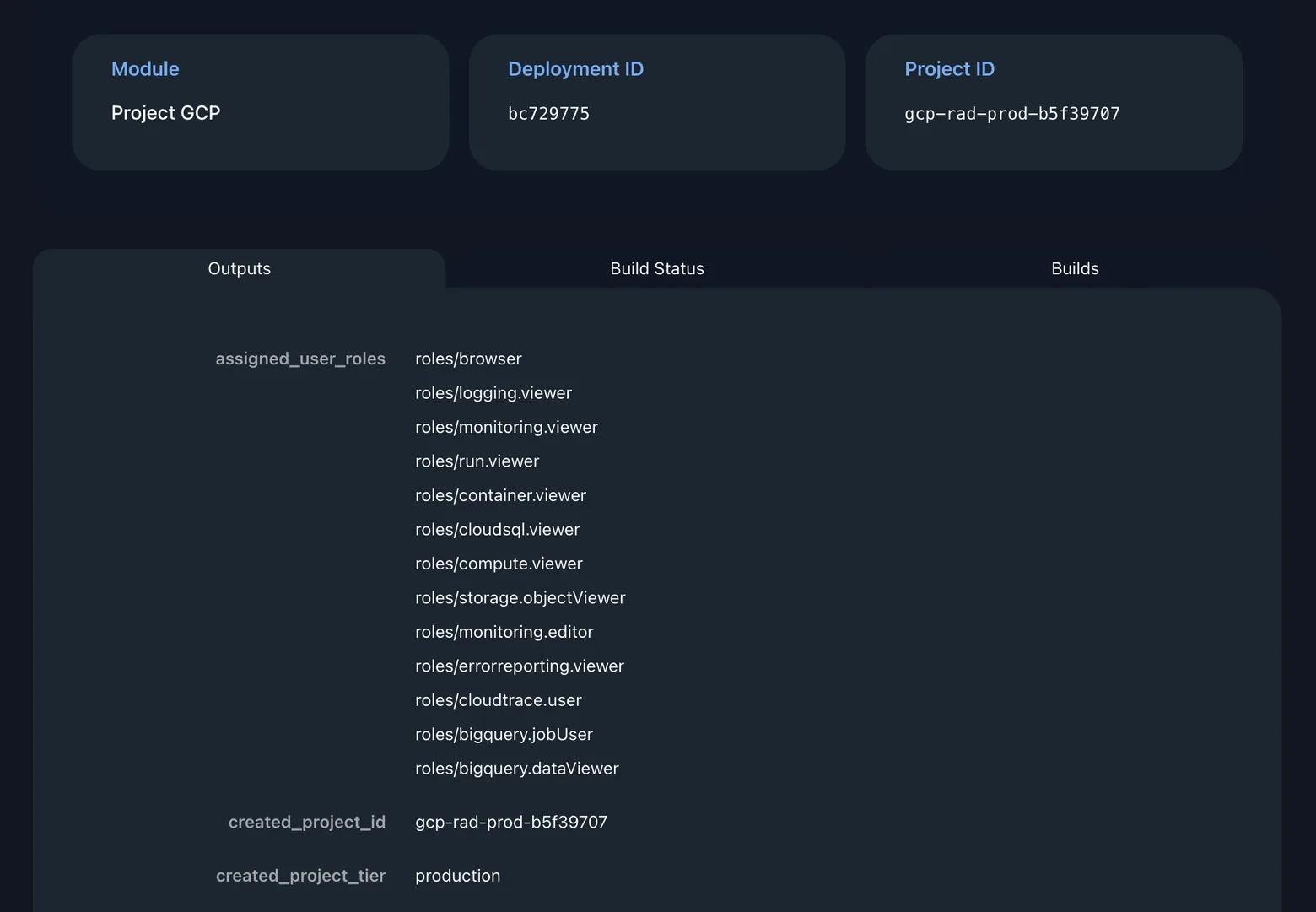
URLs, connection details and identifiers are published against the deployment. The Terraform state is not: it sits in RAD's own Cloud Storage bucket, with no download in the product today.
Reopen the form pre-filled with the values you deployed, change what you need, and re-apply. Terraform plans the difference instead of rebuilding what is already standing.
Delete destroys what the module created, in dependency order. Purge removes RAD's record and its state. In a project you own you can purge while it runs; in a managed one, delete first.
Two components, both visible. Credits are the unit; the pricing page explains how you buy them.
Where a module sits in that range depends on how much it provisions and configures. Some carry none: the RAD-managed project and shared-services modules, and the modules RAD publishes itself. In a RAD-managed project every fee is 10% lower.
Charged from how long provisioning actually ran, at a per-hour credit rate published in the product. A module that finishes quickly costs less to build than one that does not.
The average build takes about 19 minutes. A module creating a Kubernetes cluster sits at the slow end; one publishing a container near the front.
Credits pay RAD for the deployment. Google bills you directly, for what runs in a project you own.
In a RAD-managed project, Google Cloud spend is charged to your credits as Google reports it. RAD is designed to suspend its billing if your purchased credits fall below the minimum for its tier.
They deploy normally into a Google Cloud project you already control, which is bound by your organisation's policies rather than RAD's.
Creates an AKS cluster in Azure and registers it with a Google Cloud fleet, so it is managed alongside native GKE clusters. It enables seven services the tier allowlist denies, among them gkemulticloud and connectgateway.
The same, for an Amazon EKS cluster it creates in AWS. It enables the same seven denied services.
A reference microservices banking application on a GKE cluster it provisions, with Cloud Service Mesh and fleet registration. It enables nine denied services, among them mesh, meshconfig and containersecurity.
The same reference application spread across several GKE clusters in several regions, with cross-cluster ingress and services. It enables fifteen denied services, among them multiclusteringress and multiclusterservicediscovery.
Provisions a Google Cloud VMware Engine private cloud with its own network peering and management plane. It enables vmwareengine and vmmigration, neither of which any RAD-managed tier allows.
A Google Cloud Migration Center assessment environment, for inventorying and rightsizing an existing estate. It enables migrationcenter, which no RAD-managed tier allows.
Google Cloud Migrate to Containers, for replatforming existing virtual-machine workloads onto a GKE cluster it provisions. It enables containerregistry, which the sandbox, lab and development allowlists do not permit.
Published, indexable, and readable without an account.
One per application option, plus 175+ shared application-layer guides, listing the variables the form asks about.
Step-by-step walkthroughs ending in a working deployment, readable to the end before you sign up.
Aligned to seven Google Cloud certification tracks: ACE, PCA, PCD, PCDE, PCNE, PDE and PSE.
Those counts cover the 340+ application options. The eight modules RAD publishes itself are documented differently: a configuration guide and a lab each, in the public repository they are published from rather than on the documentation site.
The catalogue in the product is authoritative, and searchable by application name. RAD is in beta; signing up gives you 300 credits and does not ask for a payment method. Google Cloud only, Terraform throughout.